Motor controllers
The Motor Control panel operates an angular stage through a shared controller engine. Open it from Engines > Motor or its toolbar button. The common connection and engine lifecycle is described in Controllers.
Connection
Connection selects the driver and its supported transport. Depending on the driver, supply a serial port, VISA/GPIB resource, network endpoint, or Kinesis controller serial number. The built-in simulator uses the null transport for hardware-free operation. Set the polling rate here; Disabled retains the connection while stopping automatic reads.
Connect from this page, then use Save Settings to YAML to retain the rig’s settings. The main-window Motor status indicator also offers Connect and Disconnect using the saved settings.
Movement and readback
Control provides target angle, velocity, acceleration, direction, explicit reads and the movement operations advertised by the driver. Homing and direction behaviour depend on the controller. The dial displays readback; dragging it does not command movement.
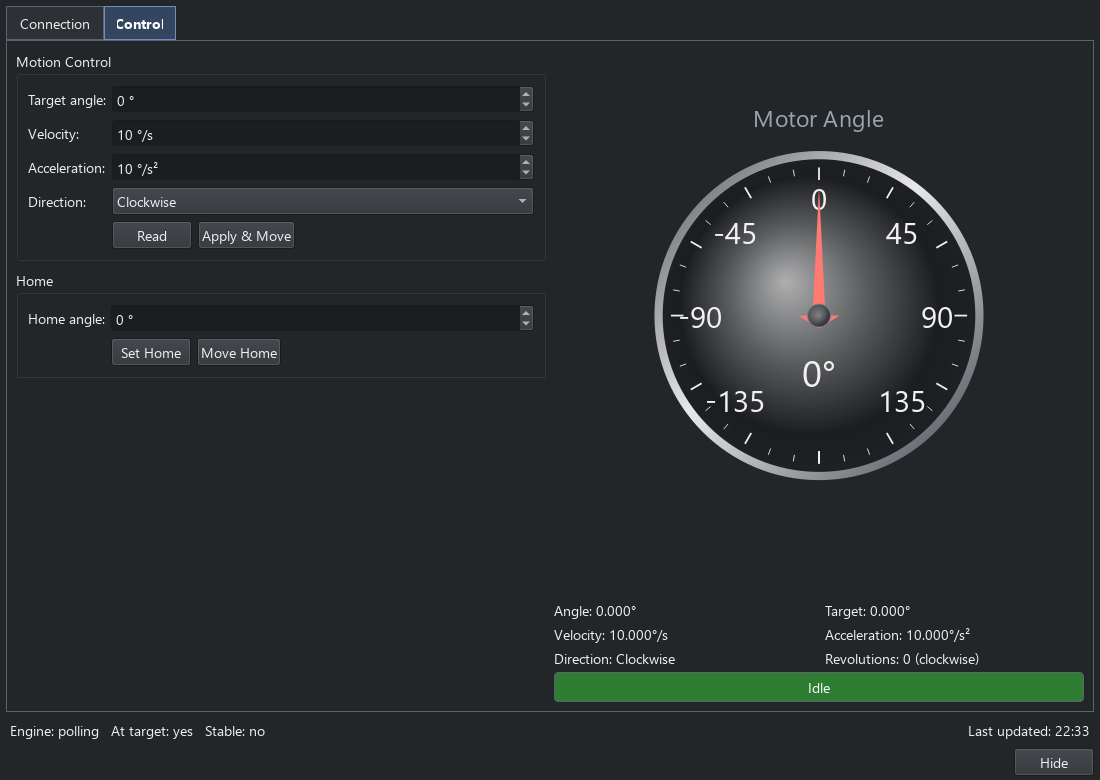
Motor controls with the built-in simulated stage.
Hiding the panel leaves the stage session connected. Disconnect explicitly when finished, and check actual travel limits and movement directions on the rig before using a new hardware configuration.
Sequences and results
Set Position, Motor Controller Scan, Motor Controller Sweep and Motor Angle Monitor share the same controller session. A scan runs its measurement sub-sequence at discrete positions; a sweep collects while the state changes. The simulator supports motion-profile checks without a stage.
Use Collecting, fitting and saving data to collect, plot and save the selected scalar outputs. For direct Python control see Console and script reference and Core modules.
