6221/lock-in trace
Choose 6221/Lockins Trace from the Keithleys catalogue for AC transport
measurements with a Keithley 6221 and one or more SRS SR830 or SIGNAL RECOVERY
7265 lock-in amplifiers. The plugin
sweeps sine-wave amplitude, DC offset or frequency and records selected
lock-in outputs at each point. It returns one shared-x trace named Signals.
Source and common settings
Settings > Source & Common selects the 6221 GPIB resource and swept parameter. Scan supplies that parameter’s values: amperes for amplitude or offset and hertz for frequency. Amplitude is zero-to-peak current. The other sine-wave parameters stay at their configured fixed values.
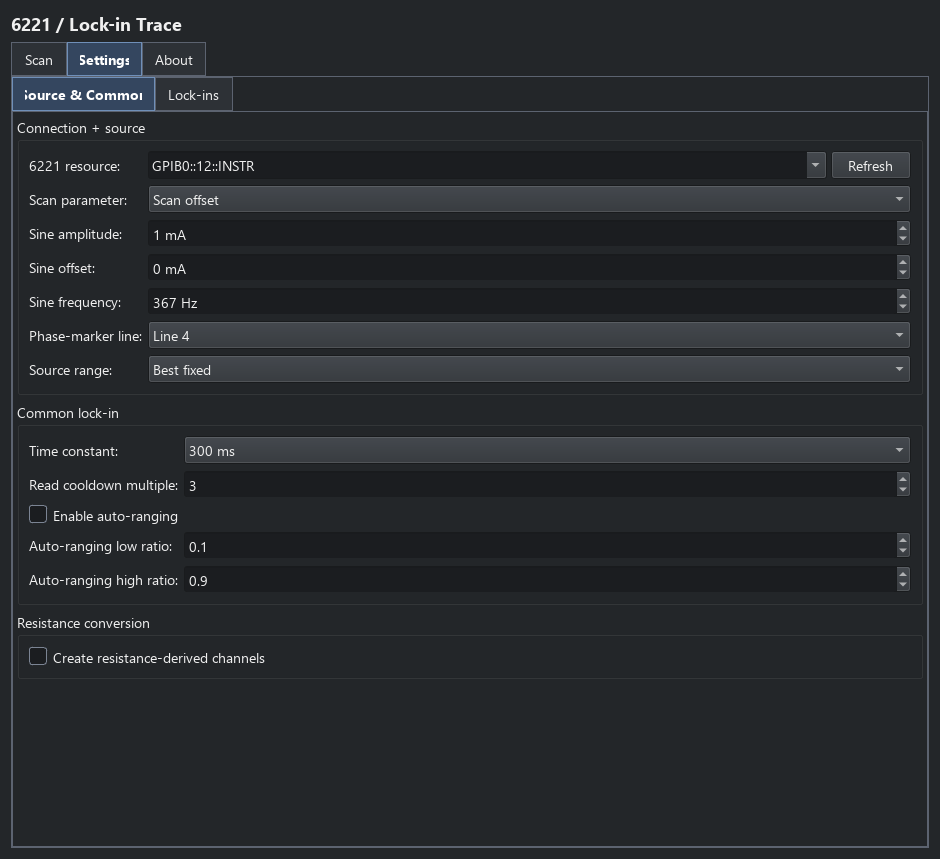
Source setup and settings shared by the lock-ins.
Choose the source-range policy, common time constant, read-cooldown multiple and any auto-sensitivity thresholds. Resistance conversion optionally adds derived channels from non-angular lock-in outputs. The 6221 phase-marker Trigger Link output supplies a reference signal; it is not a buffered nanovoltmeter handshake. See Keithley connections and triggering.
Per-instrument settings
On Lock-ins, each column represents one instrument. Select its model, label, GPIB resource and any combination of X, Y, R and THETA outputs. Choose sensitivity, harmonic, phase, input, coupling, filter slope and line rejection. The model and input mode determine the available options and physical units. SR830 entries also support output offset, expansion and reserve settings.
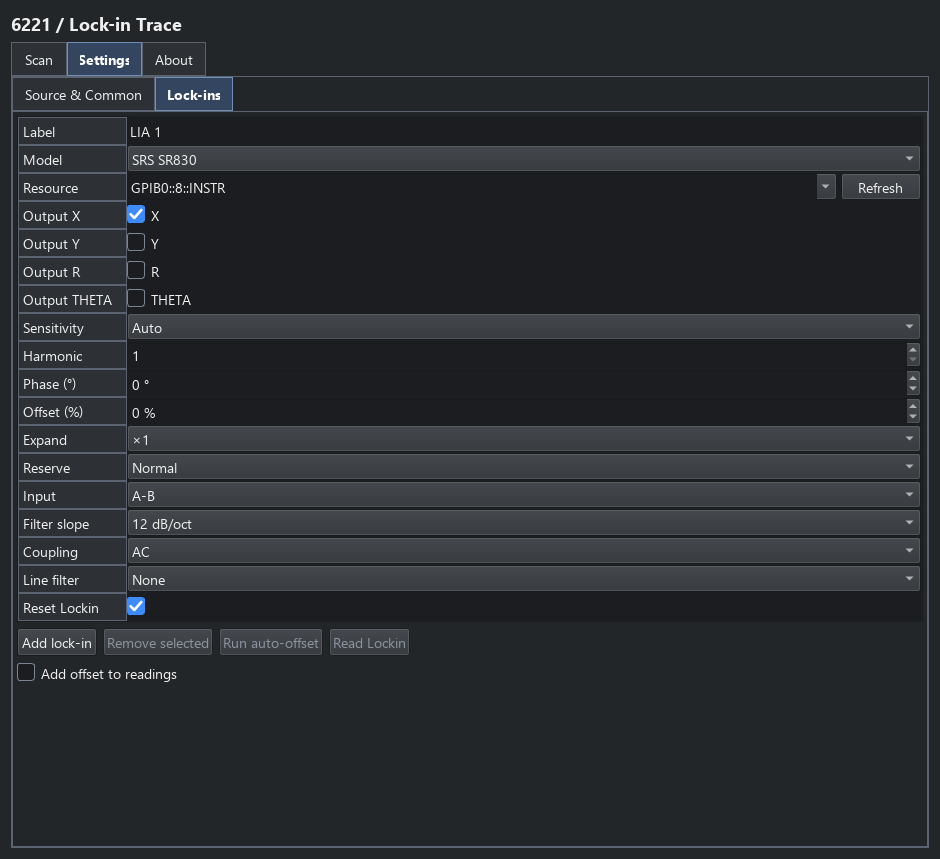
The per-instrument configuration table. Add further lock-ins as columns.
Reset Lockin defaults on for each instrument and controls resetting during connect/configure. Temporary settings readback and auto-offset actions preserve the instrument settings. Configuration allows an overload recovery interval and reports overload that persists after the follow-up check.
Results and lifecycle
Columns are named from the instrument labels and selected outputs; angular
outputs use degrees, while signal units follow voltage or current input mode.
Optional derived resistance channels are added to the same Signals trace.
Choose these channels in Plot Trace and Save; Collecting, fitting and saving data describes
the general processing workflow.
The plugin owns the 6221 and lock-in sessions. Configuration leaves the source output enabled; repeated measurements reuse it for fresh scans. Disconnect turns the output off and releases the sessions. Use a point/set step instead if later sequence children must run at a particular held DC bias.
For the Python API and console attributes, find Keithley6221_MultiSR830Plugin
in the plugin API reference.
Return to Keithley meters to compare trace types.
